-2.png?width=670&height=377&name=Blog%20Feature%20Image%20(8)-2.png)
What Does the New Desktop Design Mean?
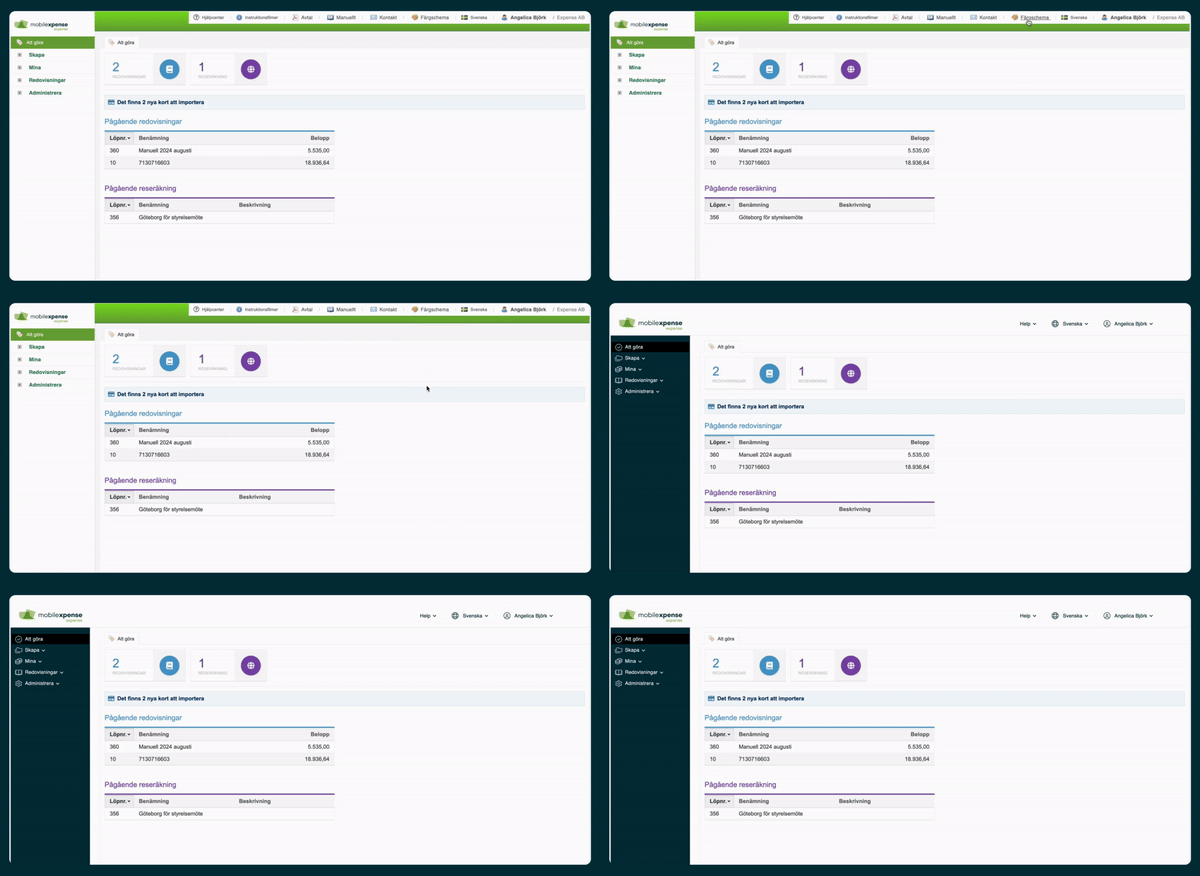
The new desktop design is an update to the Expense web platform that provides:
- 🎯 Clearer navigation
- 🎨 A modern and more user-friendly layout
- 📊 Better visibility of important information
👉 The goal is to help users work more efficiently and navigate Expense more easily.
Why Have We Updated the Design?
The update is based on feedback from Expense users.
The primary objectives were to:
- 📉 Reduce administrative work
- ⚡ Make the system faster and easier to use
- ✅ Create a more intuitive user experience
👉 The result is a more efficient and user-friendly platform.
Improvements in the New Design
📑 Easier Navigation
The new design includes:
- Simplified menu structures
- Clearer labels and navigation paths
- Faster access to commonly used functions
👉 Find what you need more quickly.
🎨 Improved User Interface
The updated interface provides:
- A modern visual design
- A cleaner layout
- Better visual organization of information
👉 Making Expense easier to understand and use.
📊 Updated Dashboard
The redesigned dashboard offers:
- Better information summaries
- Fewer clicks to access important data
- Quick access to key functions and workflows
👉 More focus on the information that matters most.
What Does This Mean for You as a User?
With the new desktop experience, you can expect:
- ⏱️ Less time spent on administration
- ✅ Easier navigation throughout the system
- 📊 Better overview of expenses, reports, and tasks
👉 A smoother and more productive experience in Expense.
How to Activate the New Design
Step-by-Step
- Log in to Expense
- Navigate to the Theme / Design Settings
- Select:
[NEW] Expense Desktop
✅ The new design is activated immediately.
When Should You Switch to the New Design?
You can activate the new design at any time.
It is especially recommended:
- ✅ As soon as possible
- 📊 When onboarding new users
- 🚀 As part of updating internal processes and workflows
👉 Switching early allows you to take advantage of the latest improvements.
💡 Tips for the Best Experience
- ✅ Explore the new navigation menu
- 📊 Test your most frequently used workflows
- 🔄 Update internal training material and guides if needed
👉 These steps will help ensure a smooth transition.
Frequently Asked Questions (FAQ)
Do I have to switch to the new design?
No. However, we recommend using the new design to benefit from the latest usability improvements.
Have any features changed?
No. The functionality remains the same, but the interface has been redesigned to improve usability and efficiency.
Can I switch back to the previous design?
Yes, depending on your organization's configuration and available settings.
Summary
- 🎨 New modern desktop design for Expense
- 📊 Improved overview and navigation
- ✅ Faster and more intuitive user experience
- ⚡ Easier access to important functions
- 🚀 Helps improve productivity and streamline daily workflows